
Templates · TikTok
TikTok safe zone template
A transparent 1080×1920 overlay that shades the parts of the frame TikTok’s interface usually covers. Put it on the top track of your editor, keep captions and faces in the clear area, then delete the layer before export.

Approximate margins, last checked 2026-09-28. Free to use; no sign-up.
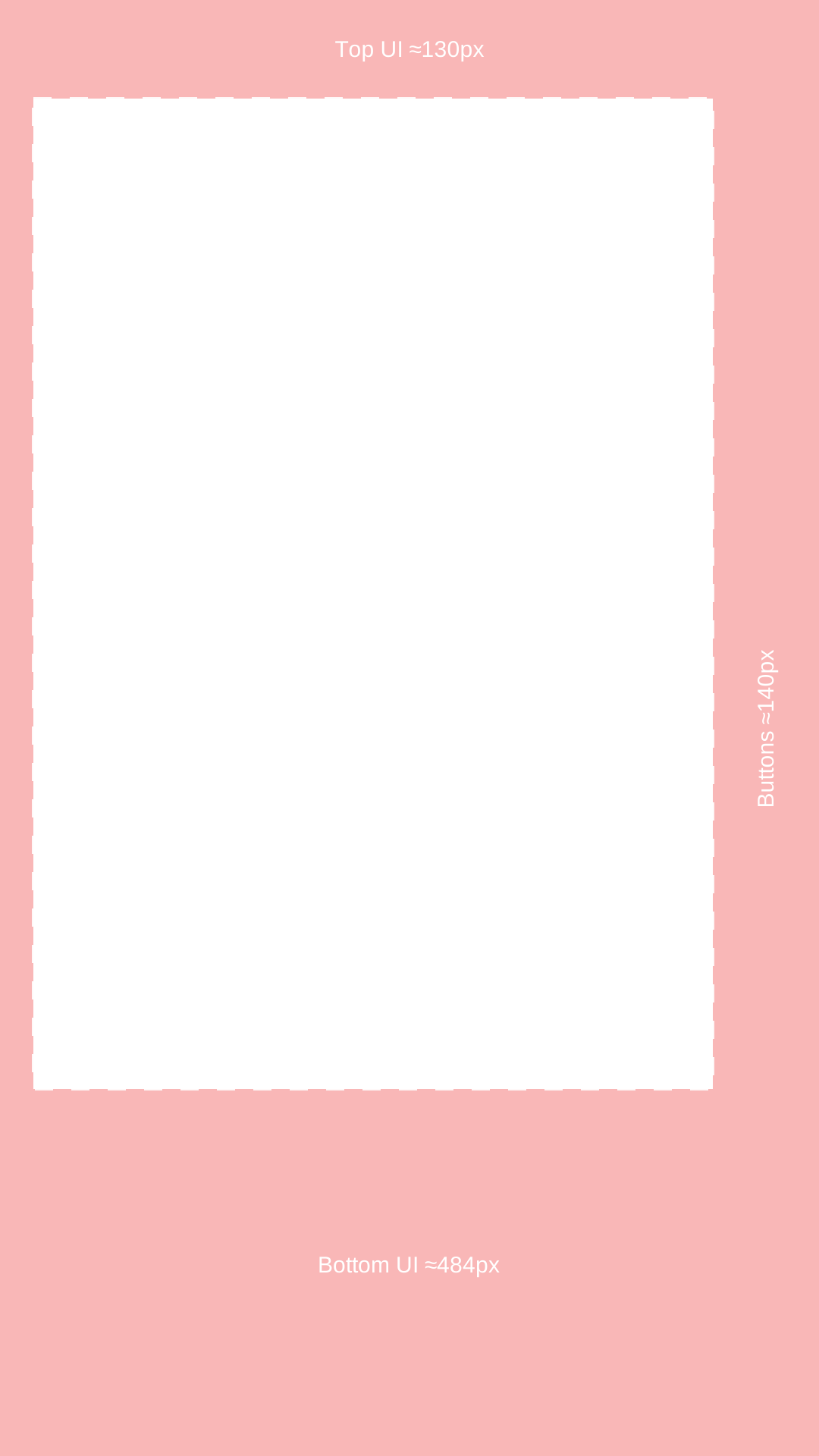
What each shaded area covers
| Area | Interface elements | Approx. on 1080×1920 |
|---|---|---|
| Top | Following / For You tabs, search, LIVE | ≈130 px |
| Bottom | Username, caption text, sound label, and the tab bar | ≈484 px |
| Right | Profile, like, comment, bookmark, share buttons | ≈140 px |
| Left | Edge padding on most phones | ≈44 px |
Clear area in this template: 896×1306 px.
How to use it
- 1.Download the PNG and import it into your editor (Premiere Pro, CapCut, DaVinci Resolve, Final Cut) on a 1080×1920 timeline.
- 2.Place it on the top video track, full frame, for the length of the clip.
- 3.Move captions, lower thirds, and faces out of the shaded areas.
- 4.Hide or delete the overlay track before you export — it is a guide, not part of the video.
Limits
- TikTok does not publish organic safe-zone pixels. These margins are approximate.
- A long caption expands the bottom text area; keep a margin above the shaded band if you write long descriptions.
- Ads use a different, format-dependent safe zone. Use TikTok’s ad templates for paid placements.
Captions placed for you, reviewed by you
HypeNest cuts vertical clips from a long video with burned-in captions. Check placement against this overlay during review, then publish to YouTube or TikTok from HypeNest.
Start freeFAQ
- What is the TikTok safe zone in pixels?
- TikTok does not publish organic values. Public measurements put the covered area at roughly 130 px at the top, 480–490 px at the bottom, and 140 px on the right of a 1080×1920 frame. This template uses those figures.
- Does TikTok have an official safe zone template?
- For ads, yes: TikTok Ads Manager provides downloadable templates and notes that the safe zone depends on orientation, caption length, and ad format. There is no official organic template.
- Can I use the same overlay for YouTube Shorts?
- The shapes are similar but the bottom band differs. If one file goes to both, design for the TikTok overlay — it is the stricter of the two at the bottom and right.
Sources
- 1.TikTok Ads Help — in-feed ad specs and safe-zone templates
- 2.Cadenus — TikTok safe zone measurements (130 / 484 / 44 / 140 px)third-party measurement
- 3.Kreatli — TikTok safe zone guidethird-party measurement