
Templates · YouTube Shorts
YouTube Shorts safe zone template
A transparent 1080×1920 overlay that shades where the Shorts player usually draws its interface. Use it while you place captions and graphics, then remove it before export.

Approximate margins, last checked 2026-09-28. Free to use; no sign-up.
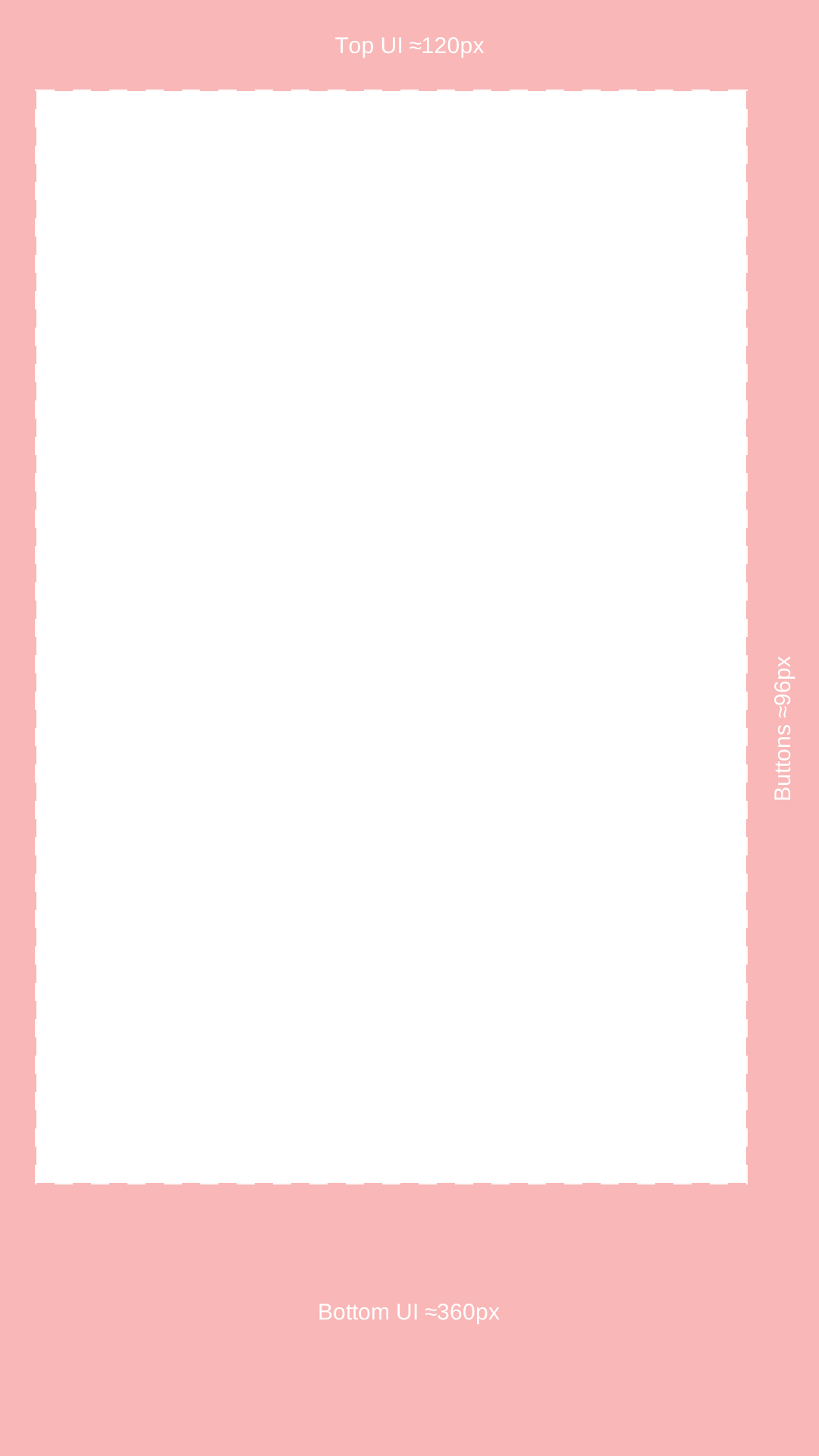
What each shaded area covers
| Area | Interface elements | Approx. on 1080×1920 |
|---|---|---|
| Top | Search, camera, and menu icons | ≈120 px |
| Bottom | Channel name, subscribe button, title, sound label | ≈300–360 px |
| Right | Like, dislike, comment, share, remix buttons | ≈96 px |
| Left | Edge padding | ≈48 px |
Clear area in this template: 936×1440 px.
How to use it
- 1.Download the PNG and put it on the top track of a 1080×1920 timeline in your editor.
- 2.Stretch it across the whole clip so every caption line is checked.
- 3.Keep text, faces, and product shots inside the clear rectangle.
- 4.Disable the overlay track before export.
Limits
- YouTube does not publish organic Shorts safe-zone pixels. These margins are approximate.
- The bottom band grows when a title wraps to two lines or the description is expanded; the template uses 360 px to allow for that.
- Shorts ads follow Google Ads templates, which mark a safe area without pixel values.
Captions placed for you, reviewed by you
HypeNest cuts vertical clips from a long video with burned-in captions. Check placement against this overlay during review, then publish to YouTube or TikTok from HypeNest.
Start freeFAQ
- What is the YouTube Shorts safe zone?
- The area of a vertical Short not covered by the player’s title, channel name, and buttons. YouTube does not publish exact values; public measurements put the covered area at about 120 px top, 300–360 px bottom, and 96 px right on 1080×1920.
- Is the Shorts safe zone smaller than TikTok’s?
- The bottom band is usually shorter on Shorts than on TikTok, and the right button column is narrower. If you post the same file to both, follow the TikTok overlay.
- Should I use a safe zone for Shorts thumbnails?
- The cover frame is shown cropped in some surfaces, so keep the subject centred. The overlay is for the playback view.
Sources
- 1.Google Ads Help — video ad safe area templates
- 2.PostPlanify — YouTube Shorts safe zone checker (120 / 300–360 / 48 / 96 px)third-party measurement
- 3.ImageVideoFit — YouTube Shorts safe zone guidethird-party measurement