 HypeNest
A Submagic Alternative for the Whole Short, Not Only Captions

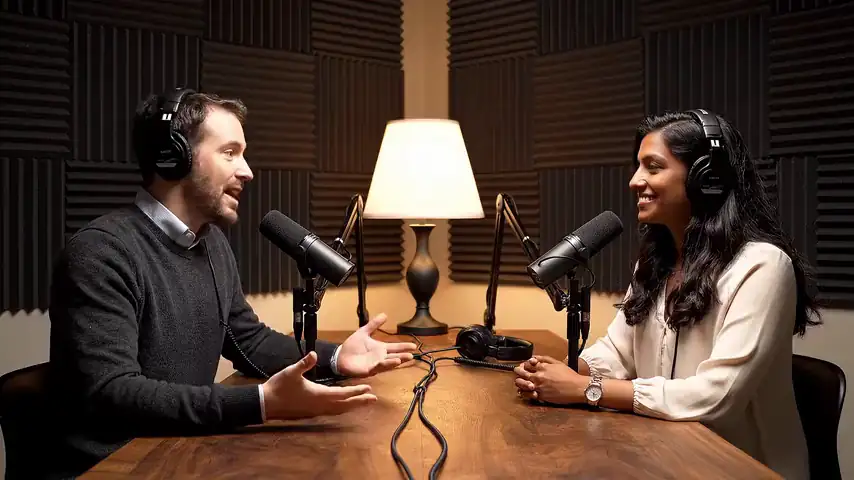






Use HypeNest instead of Submagic when your job starts from a long video: it finds the clips, adds captions, titles and thumbnails, and posts to YouTube or TikTok on paid plans. Stay with Submagic if styling captions on finished clips is all you need.
Free plan, no credit card.
One clip. Everything it needs next.
HypeNest is the stronger Submagic alternative when you need clipping and packaging, not only styled captions.
Every clip comes with a drafted title, description and captions.
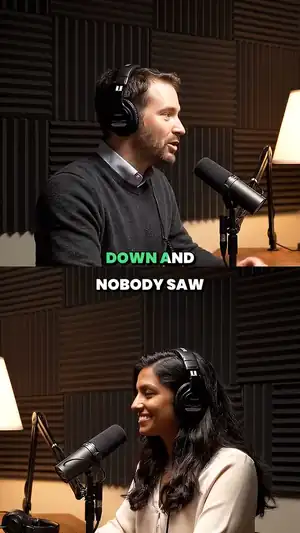 Clip
0:42, from a 1:12:40 podcast
 Title
Nobody told me this when I started
 Description
The one thing she would change about her first year, and why it took so long to see it.
 Captions
Karaoke, on every word
 Thumbnails



Quick answer
HypeNest is the stronger Submagic alternative when you need clipping and packaging, not only styled captions.
Stay with Submagic if caption animation on already-cut clips is the only remaining bottleneck.
Why people look for a Submagic alternative
- Captions are done; titles and thumbnails are still a spreadsheet.
- Clips are cut in a second tool before they ever reach Submagic.
- Titles and thumbnails still get written by hand.
Side by side
Submagic vs HypeNest
HypeNest on white, Submagic under it.
| Category | HypeNest | Submagic | Why it matters |
|---|---|---|---|
| Job to be done | Long video → posts | Caption polish on shorts | Alternative only if the jobs overlap |
| Publish | Direct publish live for YouTube and TikTok only today, on paid plans | Confirm integrations | Direct publish is live for YouTube and TikTok only, on paid plans. Instagram, LinkedIn, and Facebook are not live publish targets. |
| Price | Free plan; Lite €7/mo, Starter €15/mo, Pro €27/mo (annual from €5/mo) | Verify current pricing on the competitor’s live site. Plans change. Compare total workflow cost, not list price alone. | Total workflow cost |
Switch if…
- Your source is a podcast, webinar, or YouTube long-form, not a finished 30-second file.
- You want titles and thumbnails made with the clips.
- You want titles in the same queue as captions.
Stay if…
- Caption styling is the product you sell to clients.
- Clips are already perfect and you only restyle subtitles.
- You only need different caption styles.
Migration plan
Pick one finished long video you already posted as a short with Submagic captions.
Run it through HypeNest. Compare time to a finished title + caption + thumbnail package.
Keep Submagic for posts where caption animation is the differentiator.
Caption polish vs publish-ready posts
With Submagic
Best evaluated as caption polish on already-cut shorts. Confirm styling, pricing, and integrations on their live product before you switch.
The switch is not “who has prettier captions.” It is whether titles and thumbnails still live in another tab after captions are done.
With HypeNest
Starts from a long source. Drafts clips, captions, titles, and thumbnails in one place. Direct publish is live for YouTube and TikTok only, on paid plans.
- If you still want Submagic-level caption animation on two hero posts a month, keep it for those posts.
Where Submagic fits
Path A · stay
Captions are the job
- Caption styling is the product you sell to clients.
- Clips are already perfect and you only restyle subtitles.
- You only need different caption styles.
Path B · switch
The rest of the post is the job
- Your source is a podcast, webinar, or YouTube long-form, not a finished 30-second file.
- You want titles and thumbnails made with the clips.
- You want titles in the same queue as captions.
Common questions
What is the best Submagic alternative?
HypeNest if you need clipping plus packaging and posting. Another caption tool if you only need different subtitle styles.
Will HypeNest match Submagic caption animations?
Do not assume that. Pilot captions on your niche. HypeNest’s claim is the publishing workflow, not winning a caption-style bake-off.
Is HypeNest free?
HypeNest has a free plan — no credit card required — plus paid Lite, Starter, and Pro tiers; see /pricing for details.
Is there a free Submagic alternative?
HypeNest has a Free plan with no card. Clips made on Free carry a HypeNest watermark, and posting, scheduling and AI caption looks are on paid plans. Check Submagic's own plans on its site; we do not quote them here.
How much does HypeNest cost compared with Submagic?
Free plan; Lite €7/mo, Starter €15/mo, Pro €27/mo. Submagic's prices are on its pricing page and change, so compare what a normal month costs on each side, including the tools you would no longer need.









Run one long video
through the full workflow
Upload a finished podcast, webinar, or YouTube video. HypeNest cuts it into vertical clips with captions, titles, and thumbnails. Post to YouTube or TikTok on a paid plan, or download and post anywhere. Free plan available; paid plans add posting and more capacity.