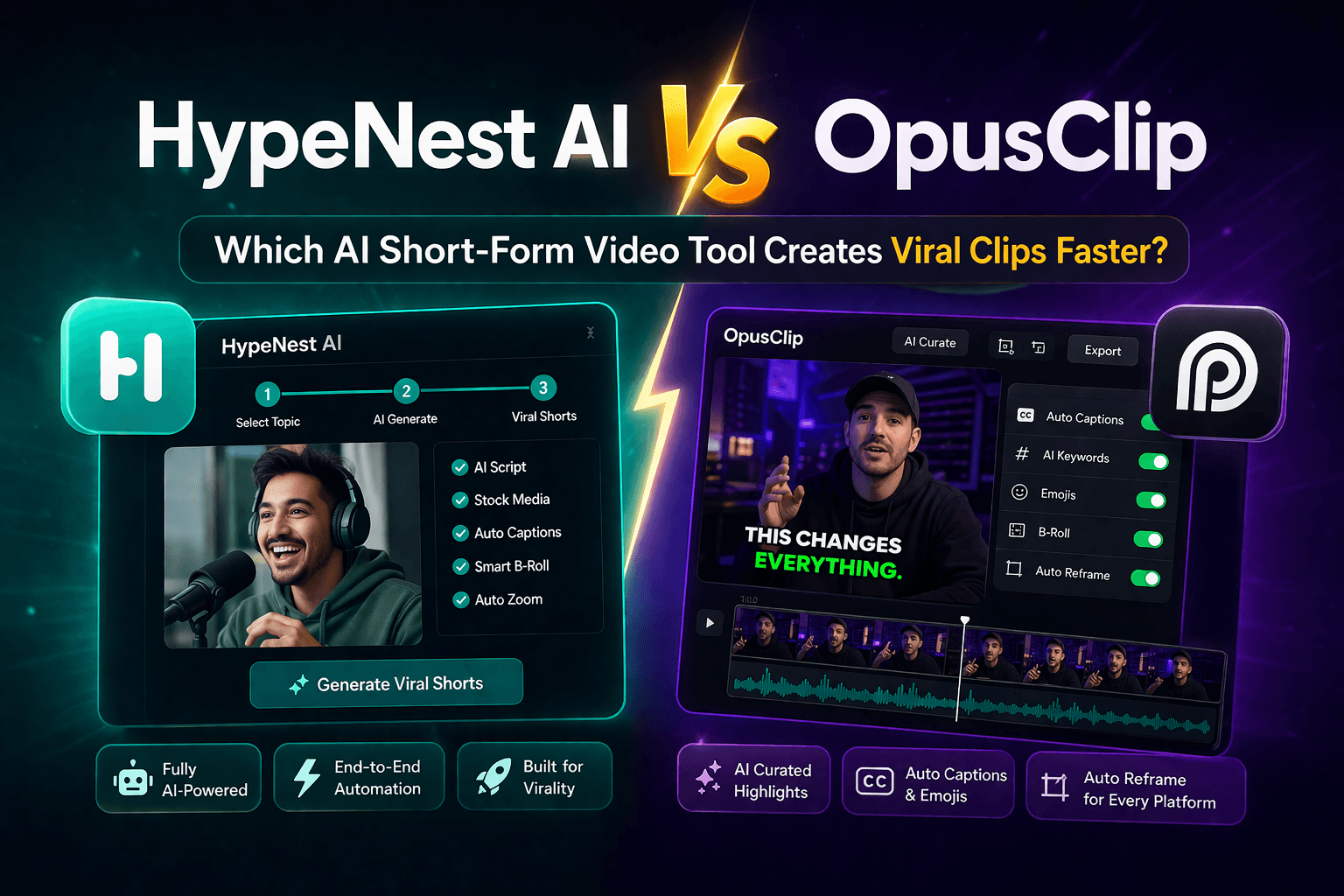
HypeNest vs OpusClip: Which Is Best for YouTube Shorts in 2026?
A head-to-head comparison of HypeNest and OpusClip for YouTube Shorts in 2026, covering clip quality, metadata, publishing workflow, pricing, and which one fits which team.

The honest answer to "HypeNest vs OpusClip" in 2026 is that both tools are good at what they are designed to do, but they are designed to do different things. OpusClip is excellent at finding the strongest moments in long-form video. HypeNest is built for the workflow after that: turning the moments into publish-ready Shorts and TikToks without juggling five other tools.
If you only need clip extraction and you already have a stable metadata and publishing stack, OpusClip will probably serve you well. If your real bottleneck is the gap between "clips generated" and "posts live on YouTube and TikTok", HypeNest will close more of that gap in a single platform. The comparison below is built to help you see which gap matters more for your specific team and channel.
You will see a side-by-side breakdown of the categories that actually drive publishing throughput: clip quality, captions, titles, descriptions, thumbnails, multi-platform scheduling, brand consistency, team workflow, and total cost of ownership including the hidden hours of metadata and publishing work that other tools leave to you. Each section ends with a clear recommendation of when each tool is the better default.
Pricing gets its own section because the visible subscription number is the least useful part of the comparison. What matters is the total cost of the workflow — the clips tool plus the metadata tool plus the scheduling tool plus the human hours to operate them. A tool that looks more expensive on the surface can be cheaper once you account for the work it removes.
There is no universally correct answer here. The right pick depends on whether your bottleneck is extraction or publishing readiness, and on whether you operate as a solo creator or as a small team managing multiple channels. Use this guide to map your situation to the right default, and adjust from there as your workflow matures.
One more thing before you decide: both tools integrate with each other, and there is no rule that says you must pick only one. A reasonable hybrid is OpusClip for extraction on specific source videos where its moment selection is stronger, and HypeNest for the publishing-readiness layer that you apply to every batch.
Quick Answer
Choose OpusClip if your bottleneck is clip extraction and you already have a strong metadata and publishing stack. Choose HypeNest if your bottleneck is turning generated clips into consistent, publish-ready posts on YouTube Shorts and TikTok without juggling five different tools.
HypeNest bundles moment selection, captions, titles, descriptions, thumbnails, and one-click publishing to YouTube and TikTok in a single flow. OpusClip is stronger as a focused clipper, with integrations into other tools for the downstream work. For solo creators and small teams who want a single dashboard, HypeNest is the better default in 2026.
The headline comparison: where each tool wins
OpusClip wins on extraction focus
HypeNest wins on end-to-end workflow
OpusClip is stronger for occasional clipping
HypeNest is stronger for consistent publishing
Clip quality and selection: both strong, different biases
OpusClip has spent more time on moment detection specifically for short-form virality signals, and it shows in some clips. The platform's strength is identifying moments with strong hooks, clear payoffs, and the kind of pacing that performs well in the Shorts and TikTok feeds. For creators whose primary job is finding the right slice of a long video, OpusClip is the more refined option.
HypeNest's moment detection has caught up significantly in the last year. The platform uses scene detection, speaker identification, and transcript-based analysis to surface moments with clear openings and natural conclusions. It is less biased toward virality signals and more biased toward self-contained, complete ideas, which is often the right tradeoff for creators who care about watch time and brand consistency over raw reach.
The practical difference in 2026 is small for most source videos. Both tools will surface a strong set of candidates from a typical podcast, webinar, or talking-head video. The bigger differences appear in what happens after the moment is selected: how the clip is captioned, framed, described, and prepared for publishing. That is where HypeNest pulls ahead for creators who care about the full pipeline.
Captions and subtitles: HypeNest's edge is in review speed
Both tools generate auto-captions with reasonable accuracy for clear English speech. The captions are good enough to ship in most cases after a quick review pass. The difference is in how the review experience is built. HypeNest surfaces captions on the same dashboard as the clip, with one-click editing, so the review pass is fast and visible. OpusClip exports captions with the clip and the review happens in a separate editor or in the publishing tool you use downstream.
For multilingual content, both tools have improved their non-English transcription in the last year, but neither is perfect. The right workflow is still to expect a 5 to 10 minute caption pass for any clip you publish, regardless of which tool you use. The platform that makes that pass faster wins, and in 2026 HypeNest's inline editor gives it a small but real edge for creators who publish in volume.
For creators who use styled captions as a brand element — colored keywords, custom fonts, consistent positioning — both tools support caption styling, but HypeNest's brand-presets feature is more developed. You can set your font, color, and position once and apply it across an entire batch, which is a meaningful time saver for creators with a recognizable caption style.
Titles and descriptions: built-in vs. bolted-on
OpusClip does generate title suggestions, but the depth of the title and description generation is shallower than what a dedicated SEO tool provides. For creators who already use a separate title and description workflow — or who are comfortable writing their own — that is fine. For creators who want a strong starting draft they can review and ship, the bolt-on feels thin.
HypeNest generates multiple title options per clip, each with an engagement score, and a full description draft optimized for the platform you are publishing to. The descriptions follow the SEO patterns that work for Shorts and TikTok in 2026: keyword in the first 100 characters, related secondary keywords, and a structured body that gives the algorithm the right signals. For creators who do not have a separate SEO workflow, this is the difference between shipping in five minutes and shipping in 30.
The trade-off is control. OpusClip leaves more space for you to write your own titles and descriptions, which some creators prefer. HypeNest gives you strong starting drafts and a fast edit experience, which other creators prefer. The right answer depends on whether writing metadata is the part of your workflow you enjoy or the part you want to skip.

Thumbnails and branding: HypeNest has a custom model option
Thumbnails matter less for Shorts than for long-form, but they still appear in search results, on the video shelf, and in some in-feed previews. Both tools can pull a frame from the clip as a default thumbnail, but that frame is rarely the best option. HypeNest gives you the ability to train a custom thumbnail model on your existing channel art, so generated thumbnails match the style and color palette of your channel.
OpusClip focuses on a smaller set of auto-selected frames, which works for creators who do not care about thumbnail consistency. For creators who want every published clip to look on-brand, HypeNest's custom model is a meaningful advantage. The first time you train the model takes 15 to 30 minutes; every thumbnail after that is generated in the same flow as the clip and inherits the brand training automatically.
Brand consistency compounds over time. Viewers who scroll past a clip with a familiar visual style are more likely to recognize the next one as yours, even before they read the username. That recognition is a small but real advantage in feeds where thousands of clips compete for attention. If you are publishing a weekly batch, the consistency gain is significant over a year.
Publishing workflow: the decisive difference
This is where HypeNest's lead is largest in 2026. Publishing to YouTube and TikTok is integrated into the same flow as the clip review, with a one-click option to publish a batch, a scheduling view that lets you assign clips to specific dates and times, and a published dashboard that tracks which clips went live when. The workflow is complete inside one product.
OpusClip's publishing story depends on integrations. The platform connects to major social schedulers and direct posting, but the actual scheduling and approval typically happens in a separate tool. For a creator who already has a publishing tool they trust, that is fine. For a creator who does not want to operate yet another subscription, the integration is a workaround, not a solution.
The time math is straightforward. If you publish 5 clips per week, the integrated workflow in HypeNest saves you 30 to 60 minutes of tool-switching and metadata re-entry per week. Over a year, that is 25 to 50 hours of recovered time, which is a meaningful productivity gain for a solo creator and a meaningful labor cost for a small team.
Team workflow: HypeNest is the more collaboration-friendly default
For solo creators, both tools work well. For small teams — agencies, social media managers, content operations — the differences in collaboration features become more important. HypeNest is built around a multi-user dashboard with role-based access, project-level review queues, and approval workflows. A team can have one person curating clips, another reviewing metadata, and a third scheduling, all in the same project view.
OpusClip is more focused on individual use. Teams can share projects, but the workflow is not designed for parallel review or approval. For a creator team that needs to manage multiple clients or multiple brands, the lack of a true team workspace is a friction point that adds hours to every batch.
If you are a solo creator, the team features do not matter to you and you should pick the tool that fits your individual workflow best. If you are running a team of two or more, the team features in HypeNest will pay for themselves within the first month of use.

Pricing and total cost of ownership in 2026
OpusClip and HypeNest both use credit-based pricing with monthly subscription tiers. The visible subscription numbers are similar, and the choice rarely comes down to which one has the lower sticker price. The right comparison is the total cost of the workflow, which includes the subscription plus the hours of human work that the tool does not remove.
If you choose OpusClip, your total stack typically includes OpusClip for clipping, a separate tool for title and description SEO, a separate tool for scheduling, and the human hours to operate the handoffs. Realistic total monthly cost for a team publishing 10 to 15 clips per week is in the range of $80 to $200 across the stack, plus the hours.
If you choose HypeNest, your total stack is one subscription, and the human hours are focused on the review pass inside the platform. Realistic total monthly cost for the same publishing volume is in the range of $15 to $50. The savings are real, and they scale with publishing volume: the more clips you ship per week, the more the integrated workflow wins.
Which tool fits which creator
| Item | Details |
|---|---|
| Solo creator publishing weekly | HypeNest. The integrated workflow saves 5 to 10 hours per week of tool-switching and metadata writing, which is the highest-leverage win for a solo creator operating on tight time budgets. |
| Solo creator publishing monthly | OpusClip or HypeNest, depending on whether you have a publishing stack you already like. At low volume, the integrated workflow advantage is smaller, and OpusClip's focused scope may be all you need. |
| Small agency or social team | HypeNest. The team workspace, role-based access, and approval workflows are designed for the kind of parallel review that agencies need. OpusClip is a single-user tool at heart. |
| Podcaster repurposing episodes | HypeNest. Podcast content benefits from integrated metadata, scheduling, and brand-consistent thumbnails across a 5 to 10 clip weekly batch. OpusClip handles the extraction but the rest still lives elsewhere. |
| Educator with course content | HypeNest. The custom thumbnail model and the brand-preset captions help maintain a consistent look across many clips, which matters when viewers recognize your teaching style at a glance. |
| Hybrid: clip elsewhere, finish in HypeNest | Use OpusClip for moment selection on the source videos where its virality signal is strongest, then import the selected clips into HypeNest for the metadata, captions, and publishing layer. |
Switching, migration, and running both tools together
If you are switching from OpusClip to HypeNest, the migration is straightforward. There is no project history to preserve — most creators care about future batches, not past clips. Sign up for HypeNest, run one of your recent long-form videos through both tools side by side, and compare the output on a few dimensions: clip selection, captions, metadata quality, and publishing readiness. The right tool will become obvious in a single test.
If you are switching from HypeNest to OpusClip, the harder part is rebuilding the publishing workflow that HypeNest was handling. The clips themselves are exportable, but the metadata, scheduling, and approval workflows you had inside HypeNest will need to be replaced by separate tools. This is where most "downgrades" lose the time they were supposed to save.
Running both tools together is a legitimate strategy for creators who want OpusClip's moment selection on specific source videos and HypeNest's publishing layer on every batch. Export the chosen clips from OpusClip and import them into HypeNest for captions, titles, descriptions, and publishing. You get the best of both at the cost of one extra subscription.

A simple decision framework for picking the right tool
Identify your bottleneck
Map your current stack
Estimate your true weekly time cost
Pick a default and run a two-week test
Internal routes to support your evaluation
HypeNest vs OpusClip full comparison
Best OpusClip alternatives
HypeNest features overview
HypeNest pricing
FAQ
Is HypeNest better than OpusClip for YouTube Shorts?
Does OpusClip generate titles and descriptions?
Can I publish directly to YouTube and TikTok from both tools?
Which is better for a small team or agency?
Which is better for solo creators?
Can I use both HypeNest and OpusClip together?
Is HypeNest cheaper than OpusClip?
Which tool produces better captions?
What if my main goal is virality?
Does OpusClip support custom thumbnails?
Which tool is easier to learn?
Is there a free plan?
Which tool is better for podcasters?
Will switching tools affect my existing YouTube channel?
How long does it take to evaluate both?
Close the gap between clips generated and posts live
If your real bottleneck is turning extracted clips into publish-ready posts on YouTube and TikTok, HypeNest bundles the full workflow in a single platform. Try it free and compare the integrated publishing experience to your current stack.