The Ultimate Guide to YouTube Shorts SEO: Titles, Tags, and Descriptions
A practical, end-to-end YouTube Shorts SEO guide covering titles, tags, descriptions, hashtags, and on-screen text — built to rank in YouTube search and the Shorts feed in 2026.

Most creators treat Shorts SEO like a checkbox: stuff a keyword into the title, add a few hashtags, and move on. That worked in 2022. It does not work in 2026, because YouTube now indexes Shorts the same way it indexes long-form video — meaning titles, descriptions, and even the spoken words in your clip are all ranking signals. A clip that ignores SEO is invisible to 40 percent of the audience that is actively searching for it.
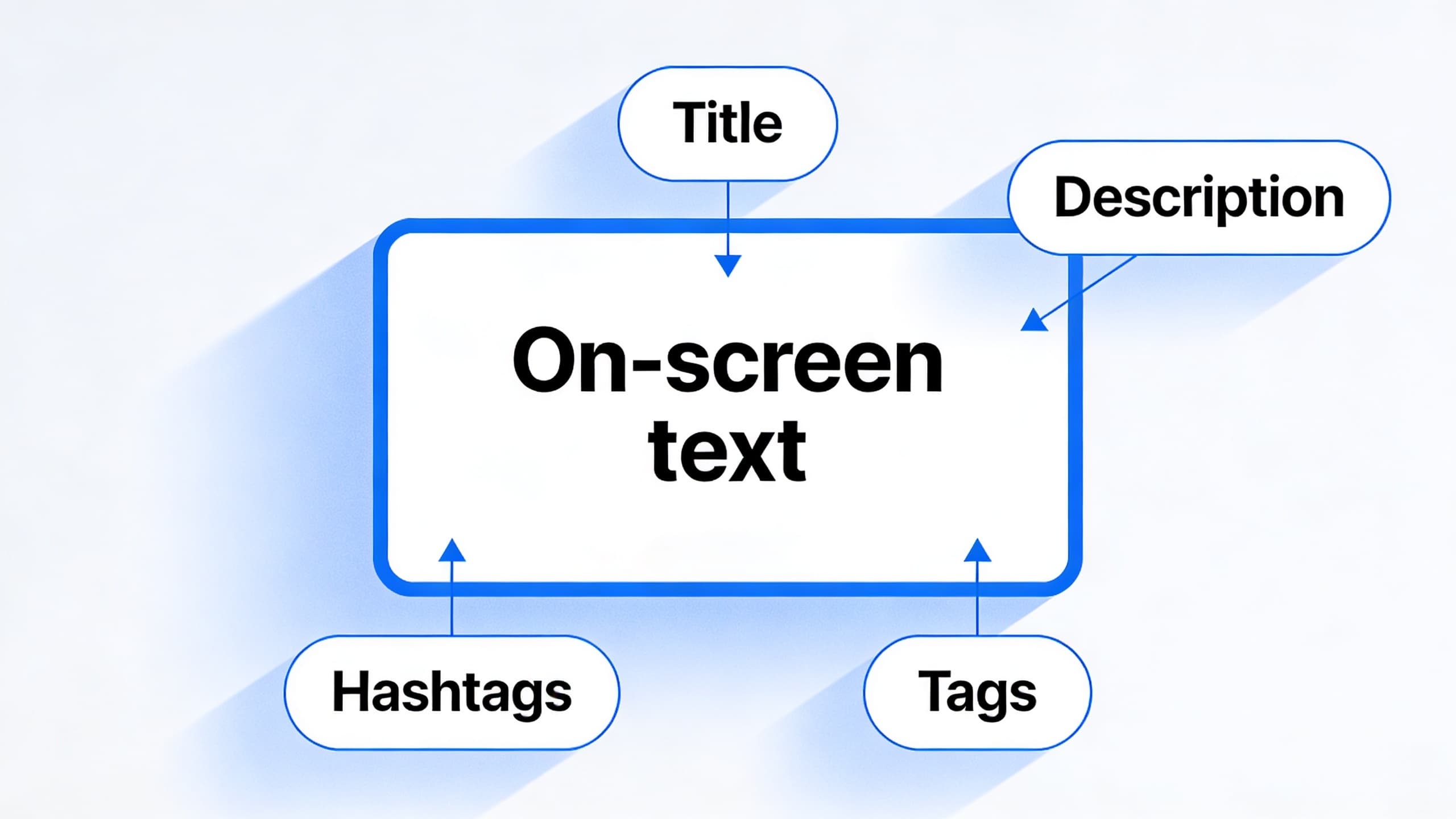
This guide walks through every layer of YouTube Shorts SEO in the order YouTube processes them: the title that earns the click, the description that gives context, the spoken words and captions YouTube uses to understand the topic, the on-screen text that helps the algorithm classify the clip, the tags that fill in the gaps, and the hashtags that put the clip in front of a relevant audience. Each layer matters, but they reinforce each other, and the strongest clips hit every layer at once.
You will also see the most common mistakes that quietly kill Shorts reach — duplicate titles across a batch, descriptions that bury the keyword below the fold, hashtag spam, captions that drift away from what was actually said, and ignoring the thumbnail preview that appears in search results. None of these are obvious in isolation, but together they explain why some accounts grow fast while others plateau at a few hundred views per clip.
The good news is that SEO for Shorts is not as noisy as SEO for long-form. A focused clip that earns the first three seconds, hits a clear keyword, and gets clean metadata will reliably outrank a clip with better production and weaker metadata. The optimization budget is small, the impact is large, and once you build the habit it becomes part of every upload.
If you already use HypeNest, the SEO layer is one click: titles, descriptions, and tags are generated alongside the clip and reviewed in the same pass. If you do not, the principles below are platform-agnostic and will work with any workflow. The goal is to make SEO a default step in your batch process, not a separate task you do once a month.
Before you start optimizing, get clear on the difference between search-driven SEO and feed-driven SEO. Search-driven SEO is about being the right answer when someone types a query. Feed-driven SEO is about being a relevant recommendation when someone is scrolling. Shorts that win at search usually have clean keywords in the title and description. Shorts that win at feed usually have strong watch time and high engagement. The best clips win at both, and that is what the rest of this guide will help you build.
Quick Answer
YouTube Shorts SEO in 2026 is a multi-layer system: a keyword-led title under 60 characters, a description that opens with the same keyword in the first 100 characters, accurate spoken-word captions, on-screen text that mirrors the title, three to five focused tags, and one to three hashtags. YouTube also reads the audio transcript, so saying the keyword in the first 10 seconds gives the algorithm a strong ranking signal.
Use HypeNest to generate titles, descriptions, tags, and captions in one pass, then review the batch before publishing. With consistent metadata and a 60 percent or better completion rate, Shorts SEO compounds: every new clip you publish teaches the algorithm what your channel is about, which improves reach on the next clip without extra effort.
How YouTube Shorts SEO actually works in 2026
YouTube Shorts are no longer second-class content. They are fully indexed in YouTube search, they appear alongside long-form results for the same query, and they are surfaced in the dedicated Shorts feed based on a different but overlapping set of signals. That means a clip can rank in three different surfaces at once: the Shorts feed, YouTube search, and the regular video shelf that appears when a viewer opens a channel page.
Each surface weighs the metadata slightly differently. The Shorts feed rewards watch time, completion rate, and engagement velocity — how fast the clip earns likes, comments, and shares in the first 30 to 60 minutes. YouTube search rewards title and description match, captions that contain the query, and historical performance of the channel on similar topics. The video shelf rewards consistency: how often the channel publishes, how on-topic the clips are, and how strong the average engagement is across the recent uploads.
When you optimize for all three, you are not picking winners between them. You are giving the algorithm three independent reasons to surface the clip. The same title, the same first 10 seconds of speech, and the same set of tags will all point the algorithm in the same direction. That alignment is what the rest of this guide is designed to build.
The title layer: how to write a Shorts title that ranks and earns the click
Titles do two jobs at once: they tell YouTube what the clip is about, and they tell the viewer whether the clip is worth watching. The two jobs are connected, because YouTube measures click-through rate as a strong ranking signal. A title that ranks but does not earn the click will plateau. A title that earns the click but does not rank will not get impressions in the first place. Aim for both.
- Lead with the keyword. YouTube weighs the first three to four words of a title more than the rest. "Instagram Reels editing: how to cut in 5 minutes" beats "How to edit Instagram Reels fast".
- Stay under 60 characters. Anything longer gets truncated in mobile search, and the truncation usually falls on the part that contains your keyword.
- Use numbers when you can. "3 Instagram Reels hooks", "5 editing mistakes", "7 captions for Reels" — all consistently outperform vague numbers because the viewer knows what they are getting.
- Name the audience when the topic is niche. "For Etsy sellers" or "For first-time managers" reads more relevant than a generic phrasing, and YouTube matches it more accurately to search intent.
- Avoid clickbait that the clip cannot deliver. The retention hit from a misleading title is worse than a slightly weaker hook, and YouTube is now aggressive about measuring post-click satisfaction.
- Stack the title with the first 10 seconds of speech. When the title keyword is also the first thing the viewer hears, the algorithm gets a clear signal and the viewer gets a clear payoff.
The description layer: how to write Shorts descriptions that surface in search
YouTube shows the first 100 characters of a description before the "Show more" button. That fold is the most valuable real estate in your entire SEO layer. Open with a clear restatement of the title keyword, then add one or two sentences of context that give the algorithm a stronger classification of the clip.
Do not bury the keyword. The first sentence should match the title. The second sentence can add a related secondary keyword, which helps the clip surface for queries close to but not identical with the primary one. After the fold, you can add a longer description with timestamps, links, and calls to action, but those elements matter more for engagement than for SEO.
Avoid the most common description mistake: writing a generic call to action ("Subscribe for more!") in the first 100 characters. That pushes the actual content of the description below the fold and removes the keyword the algorithm needs to rank the clip. Put the call to action at the end, where it is still visible to viewers who click "Show more" but does not steal SEO real estate from the clip.
Captions: the SEO layer most creators ignore
YouTube uses auto-generated captions as a primary ranking signal. The transcript is the deepest source of context the algorithm has, and the words you say in the first 10 seconds of the clip carry disproportionate weight. If your title and description are about "YouTube Shorts SEO", the algorithm expects the spoken content to confirm that. If the opening line is a joke or a personal anecdote that does not include the keyword, the clip will rank more weakly than its metadata suggests.
This does not mean you have to stuff the keyword into every sentence. It means the first 10 seconds should clearly establish what the clip is about, and the body of the clip should reinforce that with related terms. If the title is "3 Instagram Reels hooks", the first sentence could be "Here are three Instagram Reels hooks you can use today", and the rest of the clip can speak naturally while staying on the topic of Instagram Reels hooks.
Always review the auto-generated captions for accuracy. A common mistake is the captions drifting away from what was actually said because the AI transcription misheard a word. Misheard captions confuse the algorithm and can quietly lower your ranking for a query the clip would otherwise win. Spend two minutes on the captions for every clip you publish — it is the highest-ROI SEO task you can do.

On-screen text and thumbnails: the visual SEO layer
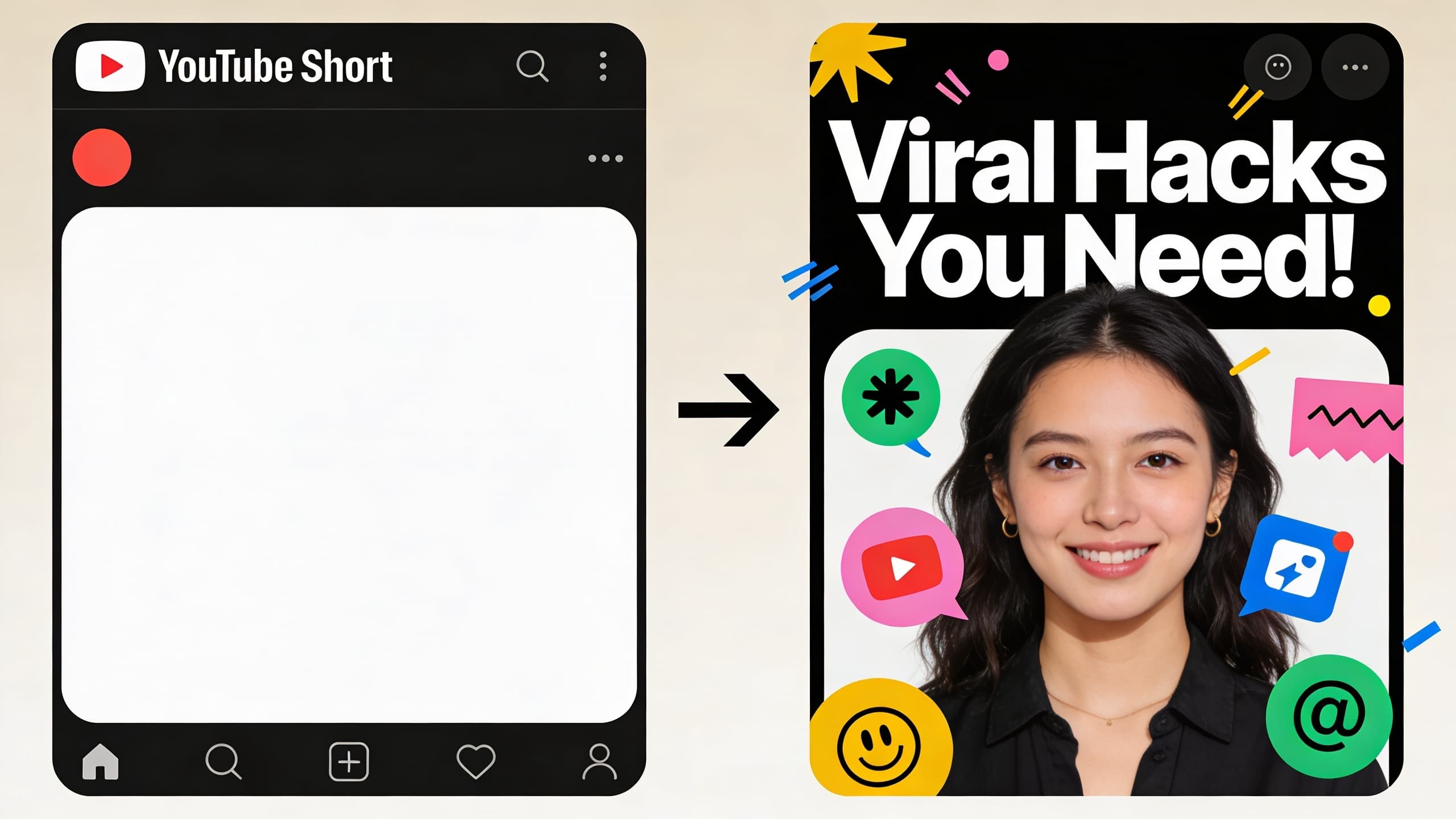
On-screen text does two things for SEO. First, it gives the algorithm a second confirmation of the topic, because YouTube can read the text overlay in the first frame. Second, it improves completion rate, because the viewer who can read the value proposition in the first second is more likely to commit. Both effects compound, so a strong text overlay is a small but consistent SEO win.
Keep the overlay to one short phrase, large font, and a position that does not cover the speaker's face. YouTube Shorts also displays a thumbnail in search results and on the video shelf, even though it is less prominent than long-form. A clean, high-contrast thumbnail that shows the speaker's face and the topic of the clip will quietly improve click-through rate for the searches where it appears.
For most creators, the on-screen text should mirror the title or capture the strongest part of the hook. If the title is "3 Instagram Reels hooks", the on-screen text could be the same phrase or "Reels hooks that actually work". The goal is to make the value obvious in the first second and reinforce the title the viewer just read.

Why the first three seconds matter more than any other SEO input
The first three seconds of a Short do most of the work. YouTube's micro-retention signals measure whether the viewer stays past the first beat, commits by second three, and finishes or rewatches. A clip that retains viewers in the opening gets pushed to more impressions. A clip that loses viewers in the opening gets deprioritized, regardless of how good the metadata is.
From an SEO perspective, the first three seconds should do four things at once: state the topic, state the audience, state the value, and earn the next ten seconds. The opening line often contains the title keyword, the on-screen text overlay, and the most important phrase the algorithm will read for the rest of the clip. If you write that line well, the rest of the SEO layer almost takes care of itself.
Avoid the most common opening mistake: starting with a personal anecdote that has nothing to do with the title. "So last week I was at the coffee shop..." burns the first three seconds on context the algorithm cannot use and the viewer cannot evaluate. Open with the value, and earn the right to a personal story later in the clip.
A pre-publish SEO checklist for every Shorts batch
Verify the title keyword is in the first 10 seconds of speech
Confirm the description opens with the same keyword
Spot-check the auto-generated captions
Trim the tag list to 3-5 focused tags
Add one to three hashtags in the right places
Confirm the on-screen text and thumbnail
Common YouTube Shorts SEO mistakes that quietly kill reach
Most of these mistakes are not visible on a single clip. They become visible when you audit 30 clips in a row and notice that none of them are ranking for queries they could win. Avoid these to keep your Shorts SEO compounding:
- Duplicate titles across a batch. If three clips in a row have similar titles, the algorithm cannot tell them apart and treats them as one weak signal instead of three strong signals.
- Burying the keyword below the fold in the description. If the first 100 characters do not contain the title keyword, the clip will not rank for that query.
- Caption drift. If the captions say something different from what the speaker actually said, the algorithm and the viewer are getting two conflicting signals. Always do the caption pass.
- Tag spam. Fifteen tags dilute the topical signal. Three to five focused tags are stronger than fifteen generic ones.
- Hashtag chasing. Using a trending hashtag that has nothing to do with the clip confuses the algorithm and brings the wrong audience, which lowers engagement and ranking.
- Skipping the on-screen text. The first frame is read by both the viewer and the algorithm. A blank first frame wastes the easiest SEO win you have.
- Treating the thumbnail as an afterthought. Even on Shorts, the thumbnail appears in search and on the video shelf. A clean, on-brand thumbnail improves click-through rate.

How to measure whether your Shorts SEO is working
The two metrics that matter most for Shorts SEO are impressions from search and impressions from suggested. YouTube Studio shows both under Reach for each clip. If your impressions from search are flat but impressions from suggested are growing, your SEO is working — the algorithm is matching your content to relevant queries. If both are flat, the metadata is not aligning with what the clip is actually about.
The other metric worth tracking is click-through rate from search. A CTR above 6 percent on Shorts search impressions is solid. Below 3 percent, the title is either not matching the query or the title is not earning the click. A high CTR with low impressions usually means the title is good but the keyword is too niche. A low CTR with high impressions means the title is mismatched and the algorithm is showing the clip to the wrong audience.
After every batch, sort your clips by impressions from search and look at the top three. What do their titles have in common? What do their descriptions have in common? What did their opening lines include? The pattern that emerges is your SEO template for the next batch, and applying it consistently is what makes Shorts SEO compound over time.
Internal routes that support a stronger Shorts SEO workflow
Free AI Video Title Generator
Free AI Video Description Generator
Free YouTube Tag Generator
Free YouTube Keyword Generator
FAQ
How long should a YouTube Shorts title be?
Do hashtags actually help Shorts SEO?
Are YouTube Shorts tags still worth adding in 2026?
What should the first 100 characters of a Shorts description contain?
How important are captions for Shorts SEO?
Should I say the title keyword out loud in the clip?
Can I use the same title for two Shorts?
What is the single most important SEO change I can make today?
Do Shorts thumbnails affect SEO?
Should I optimize every Short for search?
How does the algorithm decide which Shorts to surface?
Can I use AI to generate all of this at once?
What is the right cadence for Shorts SEO updates?
How does Shorts SEO interact with long-form SEO?
Is the algorithm penalizing tag spam?
Ship Shorts that rank in search and the feed at the same time
Use HypeNest to generate titles, descriptions, tags, and captions in one pass, then review the batch before publishing. With consistent metadata and strong completion rate, Shorts SEO compounds across every clip you publish.