
How SaaS Teams Turn Demos into Weekly Shorts
Repurpose product demos, launch videos, and webinars into weekly Shorts that educate buyers, support the funnel, and keep product updates visible.
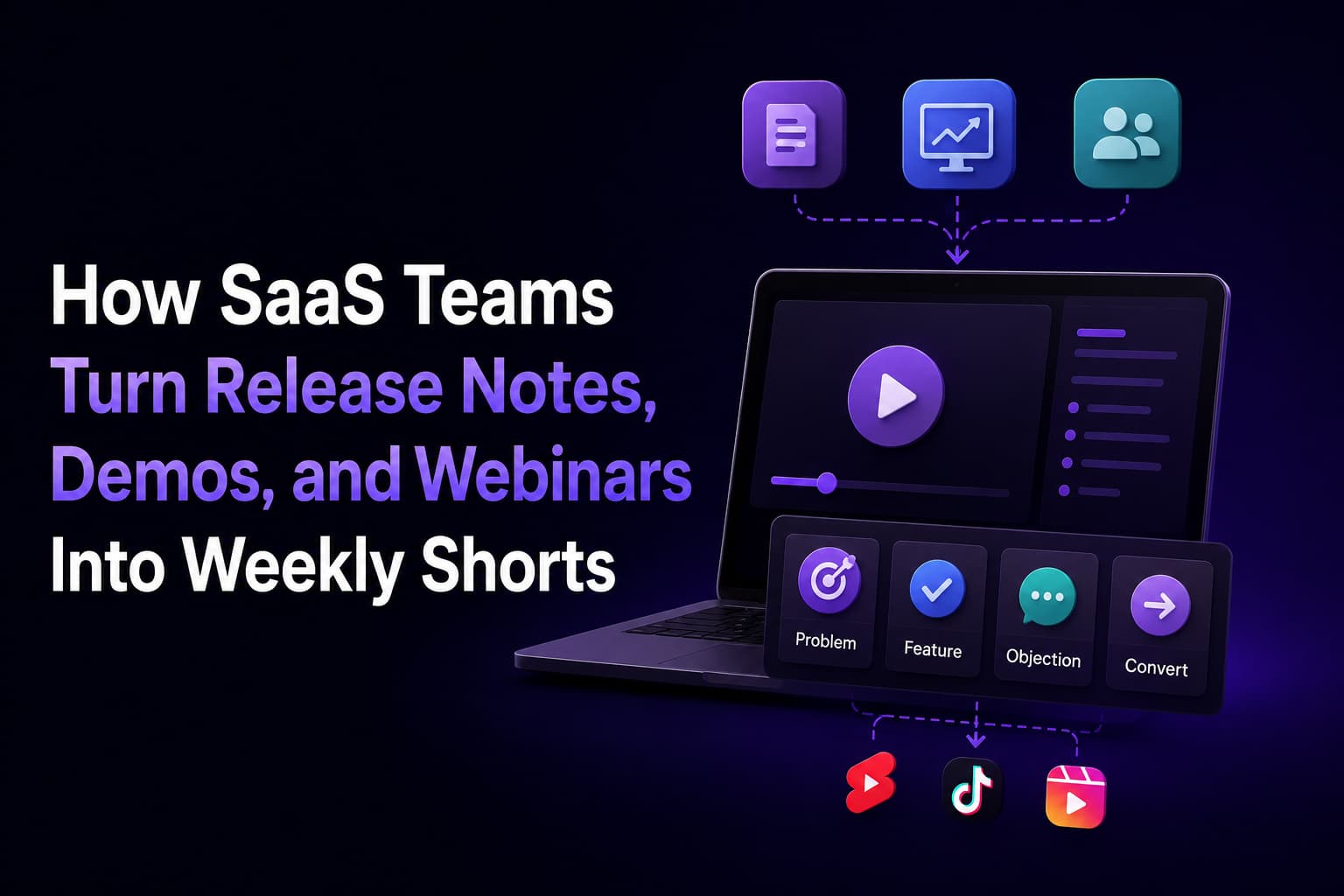
SaaS teams already create a steady stream of valuable source material: launch videos, feature walkthroughs, product demos, webinars, onboarding explainers, and customer proof moments. The problem is that most of it gets one push, then disappears even though it contains enough short-form material to support weeks of publishing.
The right workflow is to stop treating those recordings as one-off launches. Instead, use them as a recurring distribution engine. Short-form clips can keep new features visible longer, answer buyer objections, and turn product education into a repeatable acquisition surface.
Quick Answer
To turn demos, webinars, and release notes into weekly Shorts, sort your clips into four buckets: problem framing, feature proof, objection handling, and conversion bridges. That mix keeps the feed useful for both prospects and current users without turning every clip into a product pitch.
HypeNest is useful here because SaaS teams rarely need raw clipping alone. They need the packaging layer too: stronger titles, descriptions, thumbnails, and a weekly calendar that keeps the update cycle visible after launch week.
The SaaS clip roles that create the best weekly mix
Problem framing clips
Feature proof clips
Objection-handling clips
Bridge clips
Build a source inventory across product, marketing, and customer success
Most SaaS teams say they do not have enough video ideas, but the real issue is that source footage is scattered across departments and never gets treated like one shared content library. Product records feature walkthroughs. Marketing records webinars and campaign demos. Customer success records onboarding sessions, training clips, and repeated support explanations. When each team publishes only for its own immediate goal, the company misses the larger short-form opportunity. A weekly Shorts program gets much easier when one person or a small editorial pod pulls those inputs into a single backlog and asks the same question every time: what moment here teaches, proves, answers an objection, or moves someone to the next step?
Product is usually the richest source of proof clips. Release notes, internal launch demos, roadmap previews, and changelog reviews all contain before-and-after moments that show the software getting faster, clearer, or easier to adopt. The mistake is publishing those moments exactly as the team talks about them internally. Buyers do not care that a field moved from one menu to another. They care that approvals now take fewer clicks, reporting now needs less manual cleanup, or onboarding now reaches value sooner. A product marketing editor should translate every candidate clip from feature language into workflow language before it goes into the weekly batch.
Marketing adds the category context that product teams often skip. Webinar intros, live event recaps, comparison explainers, and campaign videos usually contain the broader framing that helps a cold viewer understand why the topic matters. Those assets are useful for awareness and mid-funnel distribution because they let you open with the market problem, the old habit, or the expensive workaround before you show the product proof. This is also where customer stories become more useful than generic thought leadership. A thirty-second customer example that shows who struggled, what changed, and what improved can outperform a polished brand clip because the narrative is specific enough to feel credible.
Customer success and support teams surface the questions that actually block adoption and buying decisions. Implementation concerns, admin setup worries, training friction, and repeated support tickets all point to content themes with built-in demand. If ten prospects ask about integrations, permissions, migration effort, or time to first value, that is not just support noise. It is distribution guidance. Some of the best SaaS Shorts come from a success manager explaining a fix, a CSM showing a faster workflow, or an onboarding lead clarifying the exact first three steps a new customer should take. These clips also pull double duty because they help prospects evaluate while helping existing accounts activate.
Sales can contribute here too, even if product marketing owns the weekly system. Demo call recordings, objection notes, and follow-up threads reveal which claims buyers challenge right before a deal moves or stalls. Those moments are rarely flashy, but they are ideal late-stage Shorts because they sound like real evaluation language instead of polished brand copy. A short answer about implementation timing, security review, stakeholder alignment, or ROI framing often performs better than a generic pitch because it compresses the exact question a buying committee is already debating.
The operational fix is simple: create one weekly intake that lists the source asset, owning team, target audience, candidate clip moment, funnel role, and preferred CTA. With that structure, release week no longer depends on someone remembering to ask for footage after the fact. Product can drop in a demo, marketing can add a webinar timestamp, and customer success can flag repeated questions from calls. The Shorts calendar then stops being a scramble for ideas and becomes a predictable byproduct of how the company already works.
Match each clip type to the right funnel stage
One reason SaaS short-form programs feel inconsistent is that teams judge every clip with the same yardstick. A top-of-funnel pain clip should not be expected to convert like a demo-request clip, and an evaluation clip should not be written like an awareness post. The better model is to map each Short to the stage it serves and define success accordingly. When that mapping is clear, you stop asking one asset to do every job at once.
In practice, the same webinar or release demo can produce clips for multiple stages. The footage stays the same, but the opening angle, caption, and CTA shift based on what the viewer needs next.
Awareness
Consideration
Evaluation and conversion
Adoption and expansion
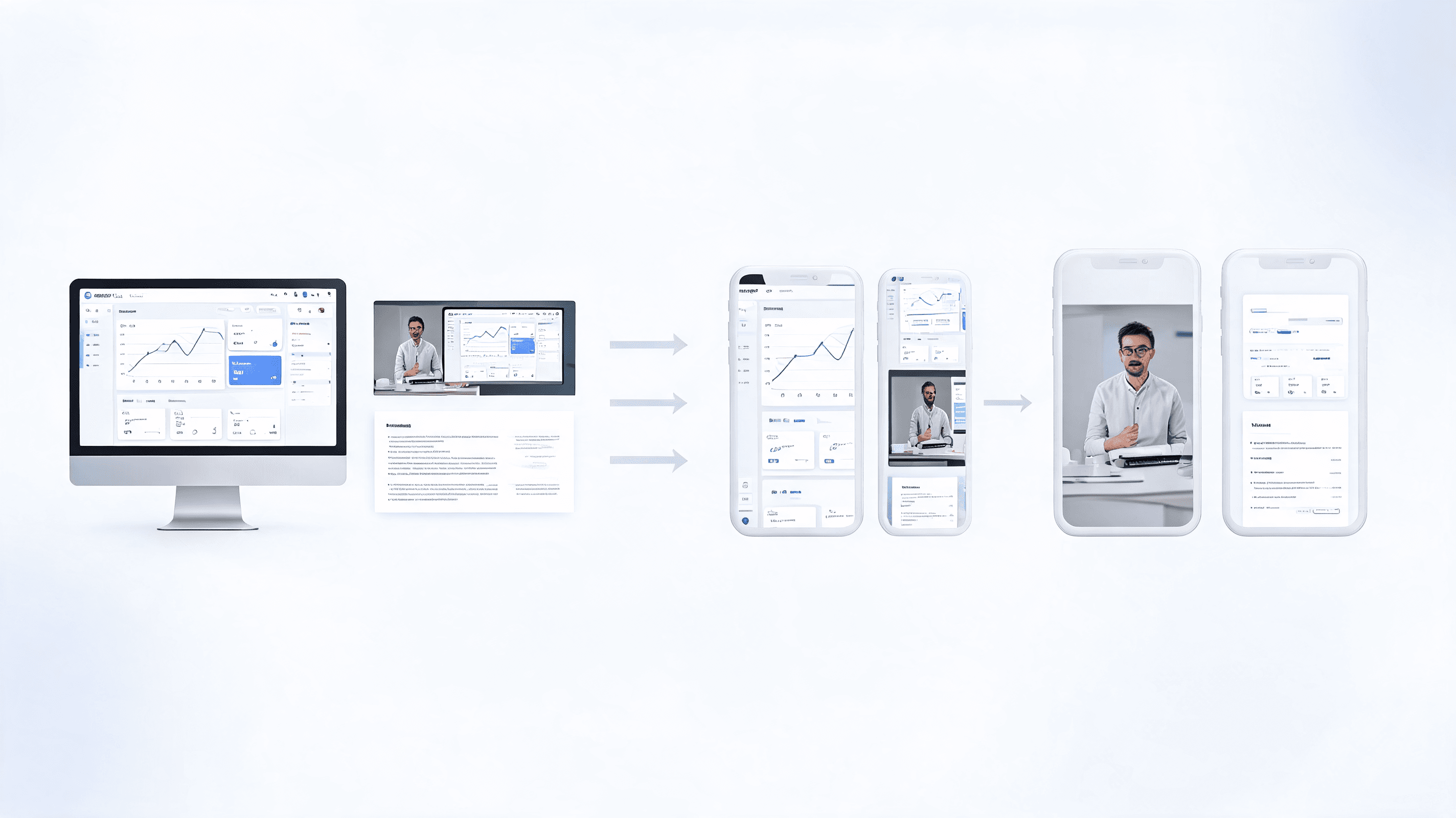
A repeatable weekly operating cadence
Start with one launch or education source asset
Shortlist clips that stand alone without the full webinar
Package the batch for specific buyer stages
Schedule the week instead of posting only on launch day
Turn one launch cycle into a month of Shorts
Most SaaS teams compress distribution into launch day: announcement post, product email, maybe one demo clip, then they move on. That pattern wastes the shelf life of the source material and assumes buyers are paying attention at the exact moment the feature ships. They usually are not. Buying committees are busy, implementation decisions move slowly, and many prospects only discover the pain weeks after the release. A better approach is to treat every launch as a mini content season that can support several publishing windows rather than one noisy burst.
Before launch, use problem-framing clips and future-state language to build recognition without giving away the full walkthrough. Show the manual step, the reporting gap, the approval delay, or the customer complaint that motivated the release. These clips prime the audience by making the pain legible. They also help the eventual feature proof land faster because viewers already understand what is broken in the old workflow. Pre-launch clips are especially useful when the release targets a known category problem and you want launch week to feel like an answer rather than a surprise.
During launch week, publish the clearest proof moments first. Do not start with every UI detail or every bullet from the changelog. Start with the exact screen sequence that makes the improvement obvious: one click instead of five, one dashboard instead of three exports, one workflow that used to require a handoff and now runs in one place. Then layer in a second wave of clips that shows alternative use cases, role-specific value, or quick answers to the first questions sales and success teams hear. That sequencing keeps the week from feeling repetitive while still reinforcing the same release.
The weeks after launch are where most teams leave value on the table. This is the moment to publish FAQ clips, onboarding slices, buyer objection answers, and customer success guidance that helps the feature make sense in real operating conditions. If the first week proved what shipped, the following weeks prove that the release survives contact with implementation, scale, and team habits. This is also when repackaging matters most. A clip titled around the outcome for RevOps leaders can be different from the same clip packaged for a product ops manager, even if the underlying footage is unchanged.
Finally, tag the strongest release clips as evergreen assets instead of treating them as expired once the campaign window closes. Many feature improvements remain relevant for months because the underlying pain does not disappear. Recut them with a fresher hook, pair them with a new customer story, or resurface them when a related trend puts the topic back in view. This is how a SaaS team turns a single release demo into a month of distribution today and a reusable library for future quarters.

Measure Shorts like a SaaS pipeline asset, not just a view source
If a SaaS team measures Shorts only by total views, the program will drift toward clips that attract curiosity but do not help pipeline, activation, or expansion. Short-form distribution needs a fuller measurement model because different clips do different jobs. A pain-point clip may widen reach. A proof clip may drive profile visits. An objection clip may be the one that gets sent inside a buying committee. Good attribution starts by accepting that the program influences multiple stages and should not be judged as if every post were a last-click ad.
The simplest fix is to review each clip in three layers: platform quality, site or CRM action, and source-asset productivity. That gives the team enough resolution to improve the workflow without building a massive reporting stack.
Review cadence matters as much as the metric list. Do not judge a Short only the morning after it posts. Look again after forty-eight hours, after a week, and again at the end of the month because different clip roles have different half-lives. Awareness clips show quickly whether the hook lands. Evaluation and adoption clips often need more time because viewers save them, forward them internally, or revisit them during active buying and onboarding work. That staggered view keeps the team from discarding useful, high-intent clips just because they did not explode on day one.
Tag clips by source and role before they go live
Read platform signals in context
Connect viewers to owned destinations
Look for assisted outcomes, not only last-click wins
Decide what to make more of next week
How to package SaaS Shorts so buyers actually care
SaaS clips underperform when they sound like feature changelogs. The packaging has to connect the feature to a pain, a workflow, or a result that matters to the buyer.
- Lead the title with the problem or outcome, not the feature name alone.
- Use the description to add context the screen recording cannot deliver quickly enough.
- Show the workflow moment where the value becomes obvious instead of walking through every setting.
- Use thumbnails to emphasize the result, the blocker, or the contrast between old workflow and new workflow.
- Keep CTA bridges light. The strongest SaaS Shorts usually educate first and convert second.
Routes that support the SaaS publishing system
HypeNest for SaaS Brands
HypeNest Planner
HypeNest SEO
How to Turn Webinars Into Short-Form Content
FAQ
Should SaaS Shorts target prospects or existing users?
What source content works best for SaaS Shorts?
How many Shorts can one webinar realistically support?
Why do product update clips often underperform?
Turn every product recording into weekly distribution
Use HypeNest to turn release notes, demos, and webinars into Shorts, stronger metadata, and a publishing cadence buyers actually notice.