
Weekly Shorts Content Calendar Template
Use this weekly Shorts content calendar template to plan a consistent publishing rhythm instead of posting short-form videos at random.
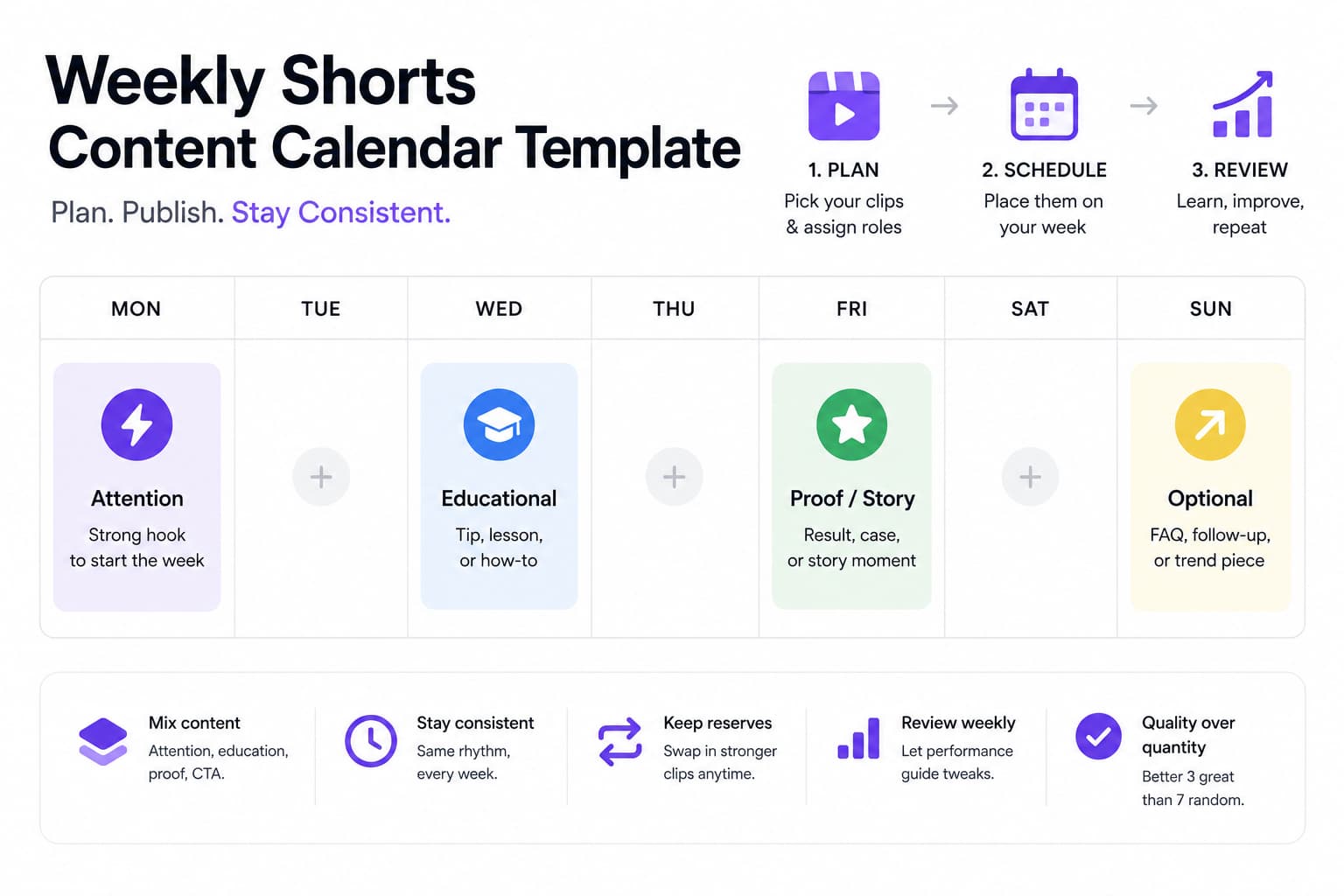
Random Shorts create random signals. If one week has five uploads and the next has none, the audience never knows what to expect and the workflow always feels reactive. A simple weekly calendar fixes more than scheduling. It makes content selection, packaging, and review easier because every slot has a job.
The goal is not to fill every day. The goal is to build a publishing rhythm you can actually sustain. When the calendar is simple enough to repeat, consistency stops depending on motivation and starts depending on process.
Quick Answer
A strong weekly Shorts calendar usually mixes three things: one attention clip, one educational clip, and one proof, story, or CTA bridge clip. That mix is enough to keep the feed varied without turning planning into a full-time job.
HypeNest Planner makes this easier because you can see the batch, the copy, and the schedule together. That helps you spot weak sequencing before the week starts.
A simple weekly rhythm to start with
Day 1: Attention clip
Day 3: Educational clip
Day 5: Proof or story clip
Optional bonus slot
How to build the month behind the weekly template
Start with source inventory, not empty calendar slots
Approve more clips than you need
Assign each clip a role before you schedule it
Batch the metadata after the sequence is visible
Rules that keep the calendar useful
Templates work best when the rules are simple enough to repeat and specific enough to prevent drift.
- Do not publish all high-intent CTA clips in the same week.
- Do not let the week contain only one content type or one visual style.
- Review performance weekly even if the month is already scheduled.
- Use reserve clips to replace weak scheduled posts instead of forcing the original plan.
- Keep the cadence stable for at least a month before making big timing changes.
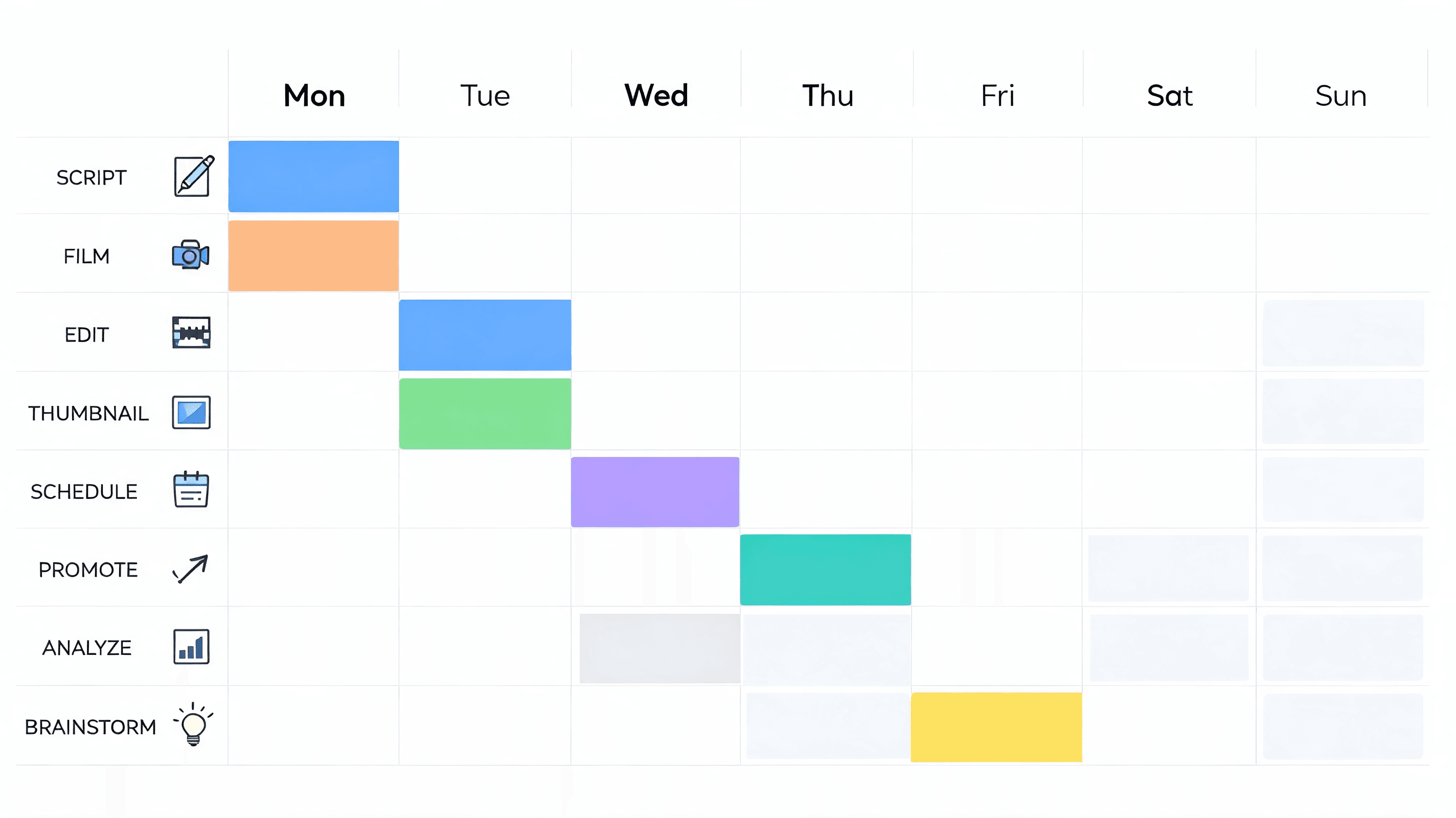
Plan the week by funnel stage, not just by topic
Many weak calendars sort ideas by topic only. That is how a channel ends up with three clips explaining the same concept and then a gap where no post actually builds trust or moves viewers toward action. A stronger weekly template maps every Short to a funnel stage before it gets a publishing date. One clip should attract the right stranger, one should help that person understand the method, one should prove the claim, and one can gently bridge to the next step. The subject can stay consistent all week, but the job of each clip should change.
Top-of-funnel Shorts are not just random reach bait. In a useful calendar they introduce a tension point, misconception, bold opinion, or surprising result that makes the right viewer stop and self-identify. A fitness creator might challenge a common training myth. A SaaS team might call out why most demo content loses people in the first five seconds. A consultant might show the one mistake clients repeat before they hire help. The goal is not to explain everything in one post. The goal is to create enough relevance that the next upload feels like a natural continuation instead of a disconnected lesson.
Mid-funnel Shorts carry more weight than many teams realize because they turn curiosity into usefulness. This is where a lot of calendars break: Monday creates attention, then Wednesday repeats another hook instead of giving the audience a practical next step. A strong mid-funnel slot teaches a framework, breaks down a simple workflow, or compares a weak approach with a better one. If the first clip tells people what they are doing wrong, the next clip should show what to do instead. That sequence improves saves, shares, and binge behavior because the week starts to feel designed rather than improvised.
Bottom-of-funnel content does not need to sound like a commercial. In a Shorts calendar it usually works better as proof, specificity, or controlled invitation. That might be a customer result, a mini case breakdown, a founder lesson, a product workflow, a behind-the-scenes process, or a short CTA that points to a deeper resource. The point is timing. When proof appears after attention and education, it feels earned and useful. When proof appears first, it often feels promotional. The weekly template protects that order so the feed can support conversion intent without turning every upload into a pitch.
Thinking in funnel stages also helps you decide what to do with an optional fourth slot. If the week already has reach, education, and proof, the bonus post can handle a very specific job: answer objections, respond to an FAQ, react to a comment cluster, or tease the longer asset you want people to watch next. That is better than filling extra space with another generic tip simply because the calendar has room. The more deliberate each slot becomes, the easier it is to review a month and understand which roles are missing or overused.
A practical planning test makes this concrete. Look at any planned week and ask four questions: which Short is meant to attract someone new, which one helps that person apply the idea, which one proves the claim, and which one tells them where to go next if they want more? If two answers point to the same clip, the week is overloaded in one stage and thin in another. That is exactly the kind of problem a calendar template should expose before you publish. Fixing sequence in planning is cheap. Fixing a week that created attention without trust, or trust without action, is much slower.
A batching workflow that makes the template realistic
A weekly template only works when it is fed by a batching process that matches reality. Otherwise teams still plan on paper but scramble in production, and the calendar becomes a wish list instead of an operating system.
Use a workflow that keeps selection, editing, packaging, and scheduling close enough together that every dated slot is backed by real approved inventory. The point is not perfect automation. The point is to remove last-minute decisions so consistency stops feeling fragile.
Build a source board before you open the calendar
Pull candidate moments and score them fast
Group clips by effort, not just by theme
Record pickups and context lines in one session
Package the whole week as a sequence
Schedule with a reserve and a reactive slot
Close with a publish-readiness checklist
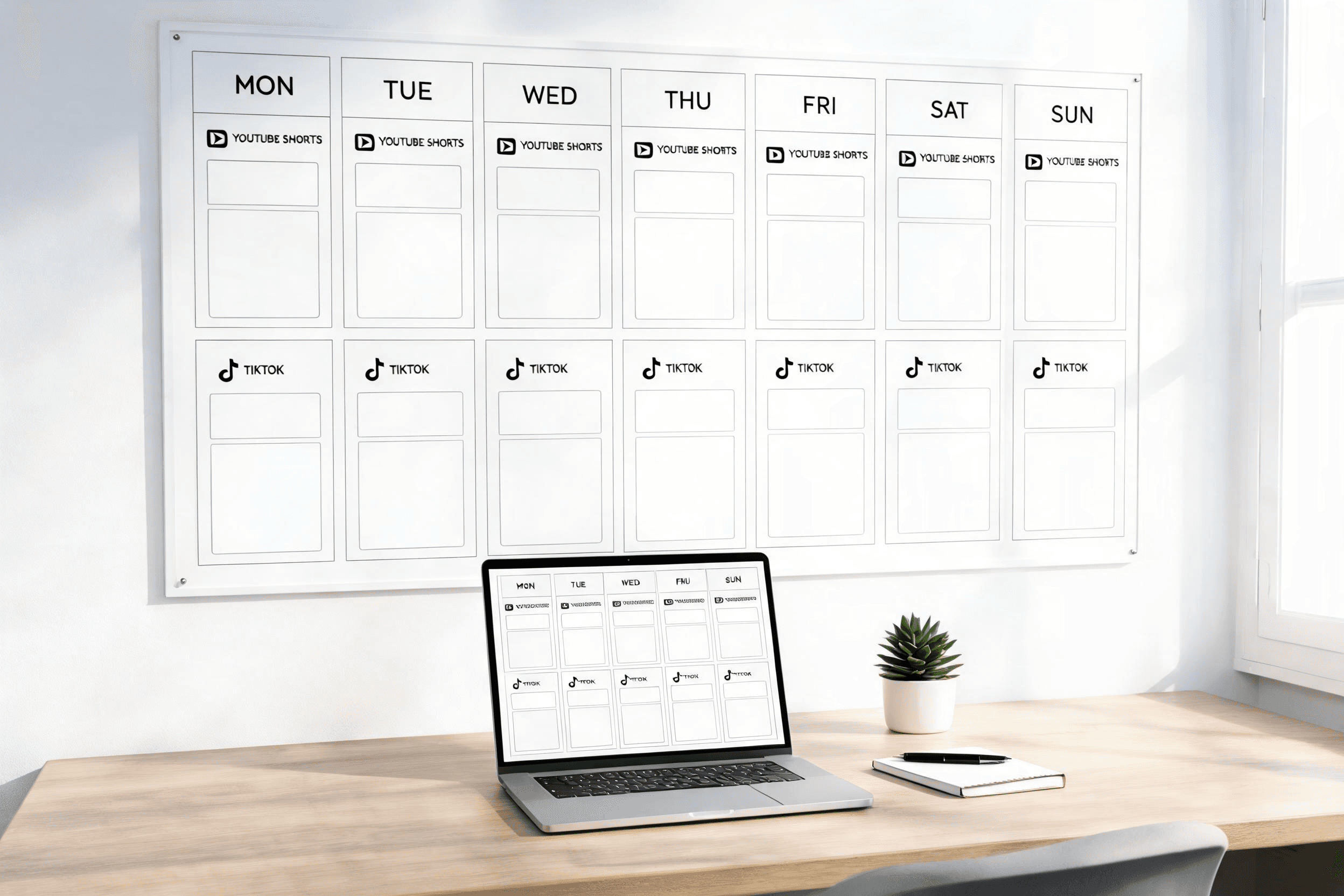
Adapt the template to your niche and team size
The best template is not the one with the most slots. It is the one that matches how much source material, review time, and audience volatility you actually have.
Keep the section logic stable month to month, but adapt cadence, proof density, and approval depth to the reality of your niche and your team.
One useful rule is to adapt only one constraint at a time. If you are testing a new cadence, keep the clip roles stable. If you are testing a new proof format, keep publishing frequency stable. That discipline makes the calendar easier to learn from because performance changes can be tied to a smaller number of variables. Teams that overhaul cadence, topics, packaging, and staffing at the same time often blame the template when the real issue is that too many moving parts changed together.
| Item | Details |
|---|---|
| Solo creator in an evergreen niche | If you teach a durable skill such as design, productivity, language learning, or fitness fundamentals, the calendar can stay relatively stable. One reach clip, one teaching clip, one proof or story clip, and one reserve slot is often enough. Your edge usually comes from consistency and point of view, not from reacting to every micro-trend. That means you can reuse the same weekly structure for a month while rotating topics, examples, and packaging. |
| Trend-sensitive or news-driven niche | If you operate in finance commentary, sports, entertainment, creator news, or another fast-moving category, a rigid calendar can age badly within days. In that case, keep two anchor slots fixed and leave one or two spaces flexible. The weekly template should give you structure without forcing stale takes onto the schedule. You may also need lighter metadata approval so faster clips can publish while the angle is still culturally relevant. |
| Expert brand or service business | Consultants, coaches, agencies, and local service businesses often need more trust-building than pure reach. Their calendar usually works best when the week contains one myth-breaker, one practical explanation, and one strong proof asset such as a case detail, client outcome, or behind-the-scenes process. The CTA does not need to be hard. It only needs to show that real work happens behind the opinion. For these brands, proof density matters more than posting volume. |
| Small in-house team with approvals | A team with a marketer, editor, founder, or legal reviewer has a different constraint: delay risk. The template should account for review checkpoints, not pretend they do not exist. Put one low-friction format in the week that can ship without heavy approvals, and keep the most dependency-heavy clip early enough that revisions still fit the schedule. Many calendars fail not because the idea mix is wrong, but because the production path is more complex than the template assumes. |
| Agency, publisher, or multi-brand team | Larger teams often have the opposite problem: plenty of inventory but weak alignment. If multiple editors, strategists, or client leads feed the same calendar, shared role labels become essential. Mark every clip by audience segment, funnel stage, owner, and effort level so the schedule does not become a pile of unrelated posts. In this environment, one weekly template per audience cluster often works better than one master calendar trying to serve every brand equally. |
Run a weekly review loop before planning the next week
A content calendar only compounds when review is part of the ritual. Otherwise the team repeats a neat-looking schedule that never learns from what happened.
The goal of review is not to overreact to one post. It is to spot patterns in hook quality, teaching depth, proof strength, packaging clarity, and production friction.
A lightweight review is usually enough. The key is to turn observations into one or two concrete planning changes instead of collecting metrics that never affect the next batch.
Review should also capture planning friction, not just content outcomes. If the week looked strong on paper but required repeated reshoots, slow approvals, or constant metadata rewrites, the template is still underperforming operationally. A sustainable calendar is one that the team can execute repeatedly without heroic effort.
- Check first-second hold and replay behavior on attention clips. If reach is low, ask whether the opening promise was too broad, too familiar, or visually too slow. If reach is high but comments are mismatched, the hook may be attracting the wrong audience rather than the right audience at scale.
- Compare saves, shares, and average watch quality on educational clips. Those numbers reveal whether the middle of the week is actually teaching something practical or only sounding informative. The best educational Shorts often create strong saves even when raw reach is more modest than the reach post that opened the week.
- Review proof or CTA bridge clips for downstream behavior, not just views. Look for profile visits, site clicks, product-page traffic, qualified DMs, or repeat viewers moving into longer content. A proof clip can be strategically successful even if it is not the biggest reach winner in the weekly set.
- Read comments and inbound messages for language you can reuse. Audience wording is often better than brand copy for future hooks, objections, and CTA framing. If several people ask the same follow-up question, that is not noise. It is next week's easiest high-intent calendar slot.
- Track which formats were cheap to produce and which ones created hidden operational drag. A clip that performs reasonably well and ships cleanly can be more valuable than a slightly stronger post that absorbs half the team's time. Sustainable calendars depend on format efficiency, not just top-end winners.
- Look for sequence effects across the week. Did Wednesday gain extra traction because Monday set the problem up well? Did Friday underperform because it repeated the same promise twice? Weekly planning improves fastest when you evaluate posts as a connected system instead of as isolated assets.
- Note where the template was too rigid. If a reactive post clearly deserved a slot but there was no space, add a flexible slot next cycle. If a fixed slot repeatedly produces weak content, keep the cadence but redefine the role. Templates should reduce decision fatigue, not lock you into bad decisions.
- Write the next week's adjustments in operational language. Swap one proof clip for an objection-handling clip. Reduce the number of heavy-edit formats. Add one reserve asset. Move the main educational post earlier. Specific changes are much more useful than vague conclusions such as do better hooks.
- Once a month, step back and review four weeks together. That is where bigger structural patterns show up: whether your niche needs more trust content, whether your audience responds better to contrarian openings than tutorial openings, whether you can handle four posts instead of three, or whether the current calendar is simply too ambitious for the team you have.
Routes that support calendar planning
HypeNest Planner
HypeNest Clips
How to Batch 30 Shorts from 4 Long Videos
Content Creators Use Case
FAQ
How many Shorts should I publish each week?
Should every week use the exact same structure?
What is the biggest planning mistake with Shorts calendars?
How often should I revise the weekly calendar template?
Turn random posting into a repeatable weekly system
Use HypeNest Planner to structure your week around strong clip roles, cleaner sequencing, and a publishing cadence you can actually sustain.